Set up for who you are.

Every company’s docket is switched to suit the kind of organisation it is. The switch changes the words people see and who sees what.

Book a demoSee an example

Sound familiar?

✕

The software calls your buildings and your work something you never would.

✕

Someone is asked to accept work that’s already theirs.

✕

People see screens meant for someone else’s role.

What the switch changes.

We pick it when we set your company up. Nothing is deleted, and anything you’ve set yourself is kept.

The words people seeWhat a building, a client and a piece of work are called, all through docket.
Menus and who sees whatWhich screens each person gets, and whether they see every building or only their own.
What’s switched onThe parts of docket you use, the starter check sheets, and who gets expiry emails.

One example: same work, different words.

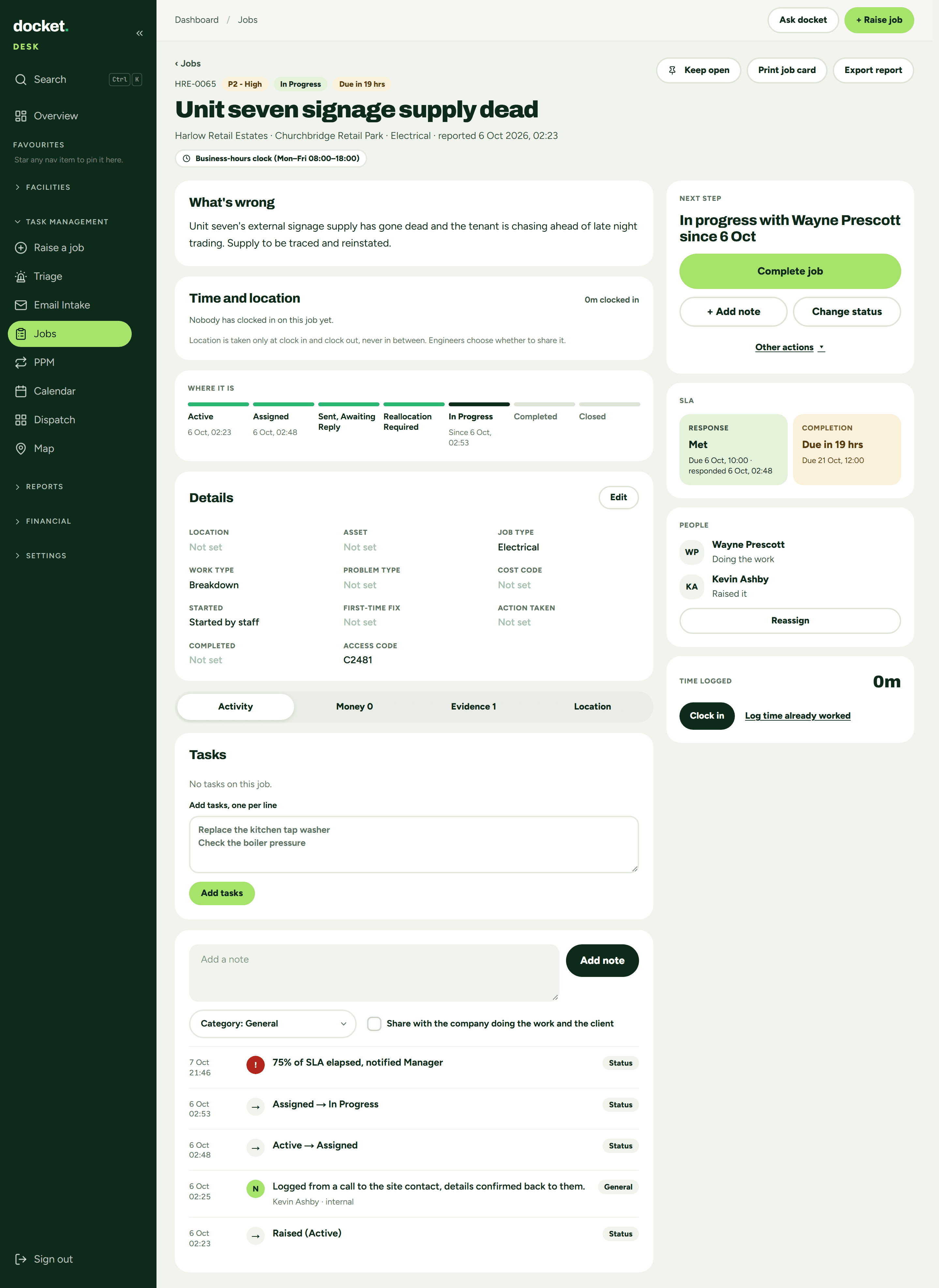
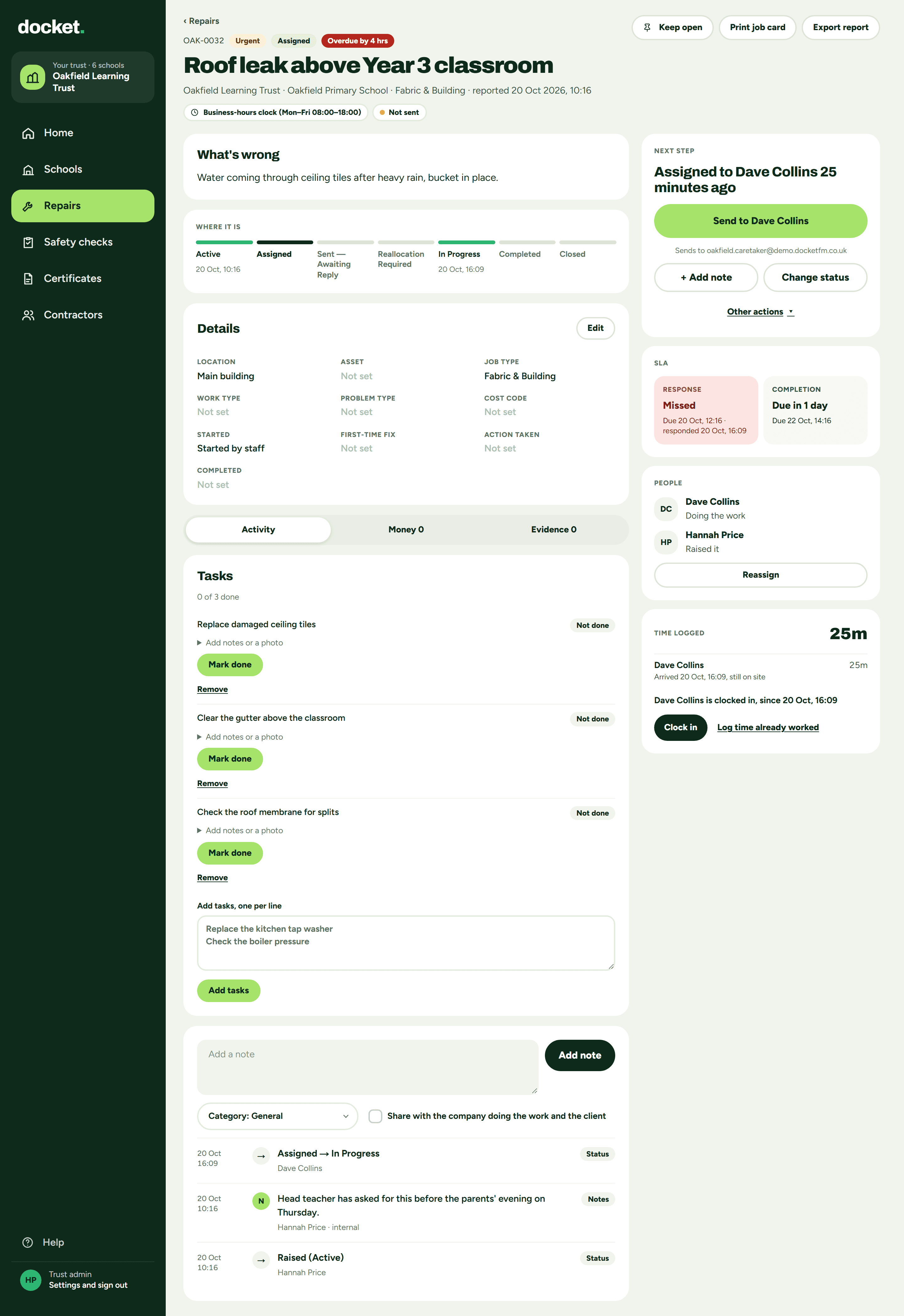
Here is the same screen for an FM company and for an academy trust, both as the company admin. A real job in one, a real repair in the other.
FM teamsFM and maintenance companies running work for clients.
The same screenUnit seven signage supply deadA Job at a Site, Churchbridge Retail Park, for the Client, Harlow Retail Estates. Marked P2 - High.
FM company admin: job HRE-0065, Unit seven signage supply dead, P2 - High, at Churchbridge Retail Park for Harlow Retail Estates
Real screen: FM company admin, a job. The tags, the title, then client and site, marked P2 - High.
Trusts, schools and collegesAn estates team looking after its own schools.
The same screenRoof leak above Year 3 classroomA Repair at a School, Oakfield Primary School, for the Trust, Oakfield Learning Trust. Marked Urgent.
Trust admin: repair OAK-0032, Roof leak above Year 3 classroom, Urgent, at Oakfield Primary School for Oakfield Learning Trust
Real screen: trust admin, a repair. The tags, the title, then trust and school, marked Urgent.
What it isFM teamsTrusts, schools and colleges
A piece of workJobRepair
Where it isSiteSchool
Who it’s forClientTrust
Planned workPPMSafety checks and Routine checks
Legally required checksStatutory / LegalRequired by law
PaperworkDocumentsCertificates. Contractor insurance sits under Contractors
Follow-on workRemedialsProblems found
How soonP1 - Critical, P2 - High, P3 - Medium, P4 - LowUrgent for P1 and P2. No label for P3 and P4
TargetsSLA, response and completion targetsRepair targets, Attend by and Fix by
Invoicing and customer quotesOnOff

Who sees what.

The switch also decides what each person gets when they log in.
FM teamsOffice, engineers, subcontractors and clients.
Office teamAll the work, for every client and site.
EngineersTheir own jobs on their phone. Any phone, nothing to install, and it works offline.
Subcontractorsdocket Trade, free. They accept or decline, and accepting records their response time.
Clientsdocket View, free. Their own sites only.
Trusts, schools and collegesEstates team, schools and contractors.
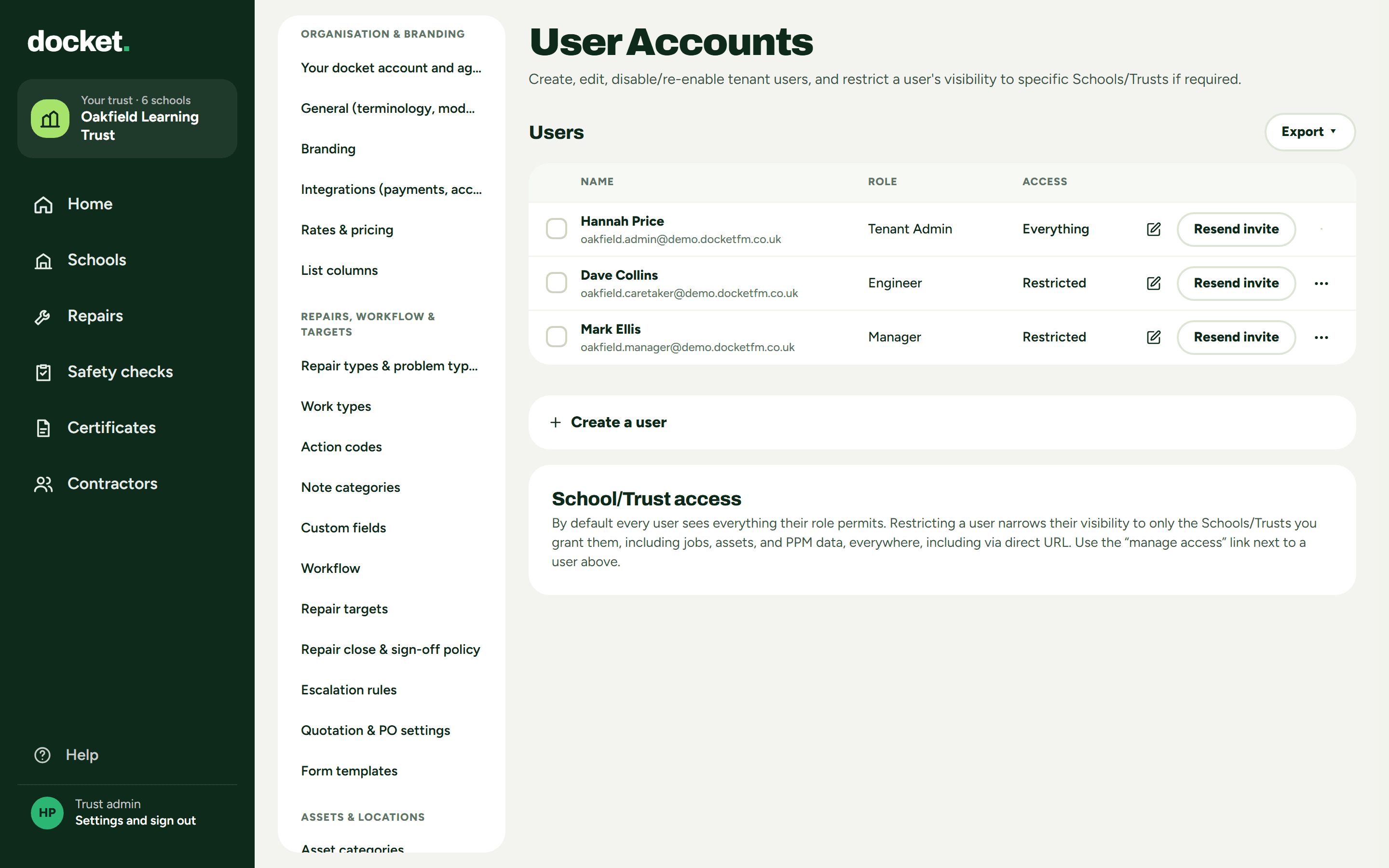
Trust adminEvery school at once.
Site managerLimit them to their school, and they see only that school.
CaretakerA phone view with Today, Problems found and Me. No accept or decline, because the work is already theirs.
Contractorsdocket Trade, free.
Trust admin: User Accounts, showing Everything and Restricted access
Real screen: trust admin, User Accounts. The admin sees everything; the site manager and caretaker are restricted.

Same docket. Same price.

The same docket, however it’s set up. £35 a person a month for anyone who logs in. Contractor logins are free. The 60 days come first, with no commitment.See pricing →

Straight answers.

Who sets it?

We do, when we set your company up. Tell us which kind of organisation you are. If it’s changed later, anything you’ve set yourself is kept.

Is it a different product?

No. Same docket. The words, who sees what and what’s switched on are what change.

Does it change the price?

It’s £35 a person a month however it’s set up. For an FM company, clients’ logins are free. On a trust, everyone at the trust who logs in counts. Contractor logins are free for everyone.

Can we try it first?

Yes. The 60 days come first, with no commitment.

Where to start

Tell us who you are.

Book a demo and we set your docket up to suit you, free. The 60 days come first, with no commitment.

Book a demo

The Docket.

FM news in five minutes, every Friday. One useful thing, one blunt opinion. No sales emails.

We only use your email to send The Docket. Unsubscribe any time. Privacy